




 Maya Chen
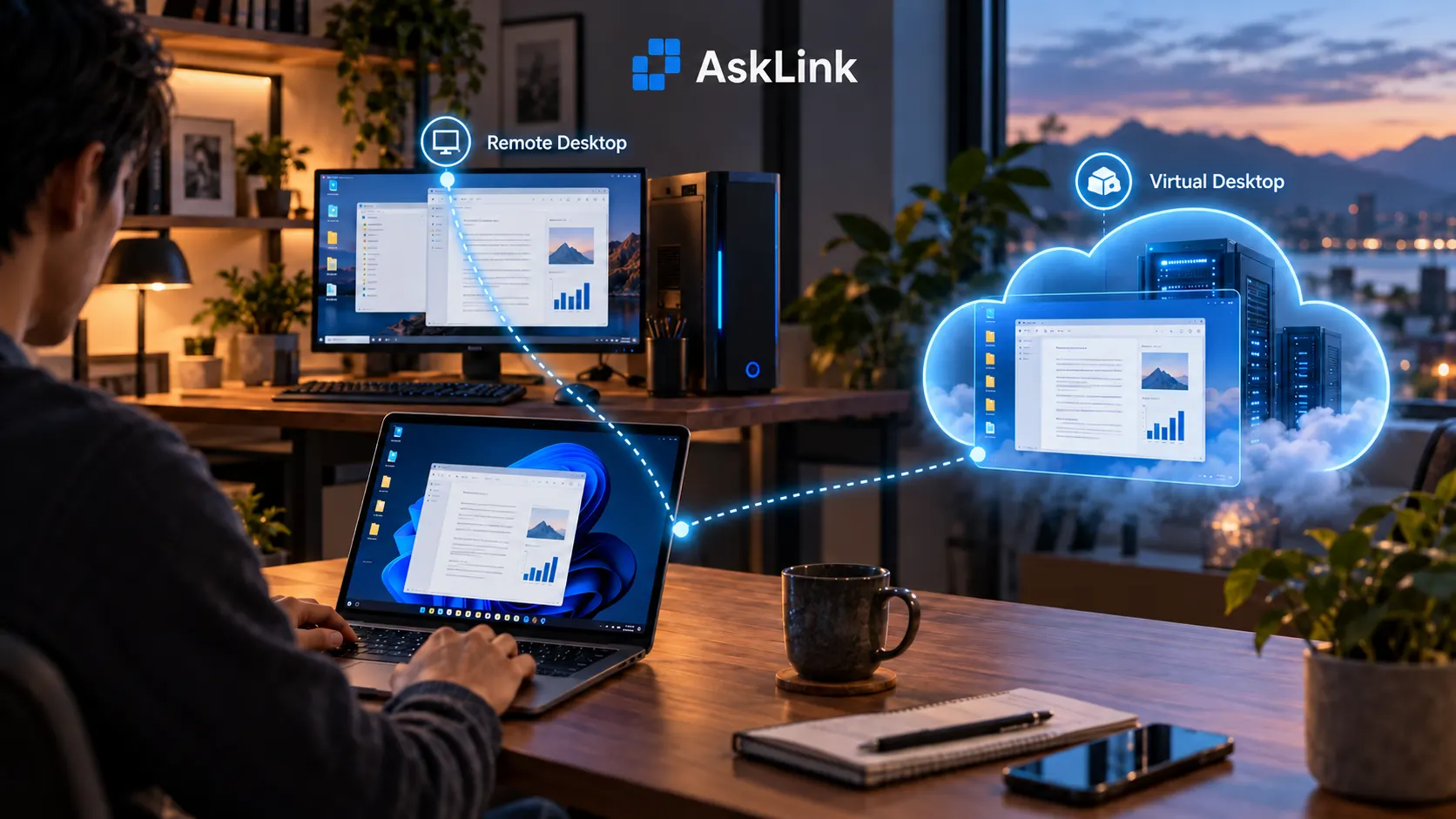
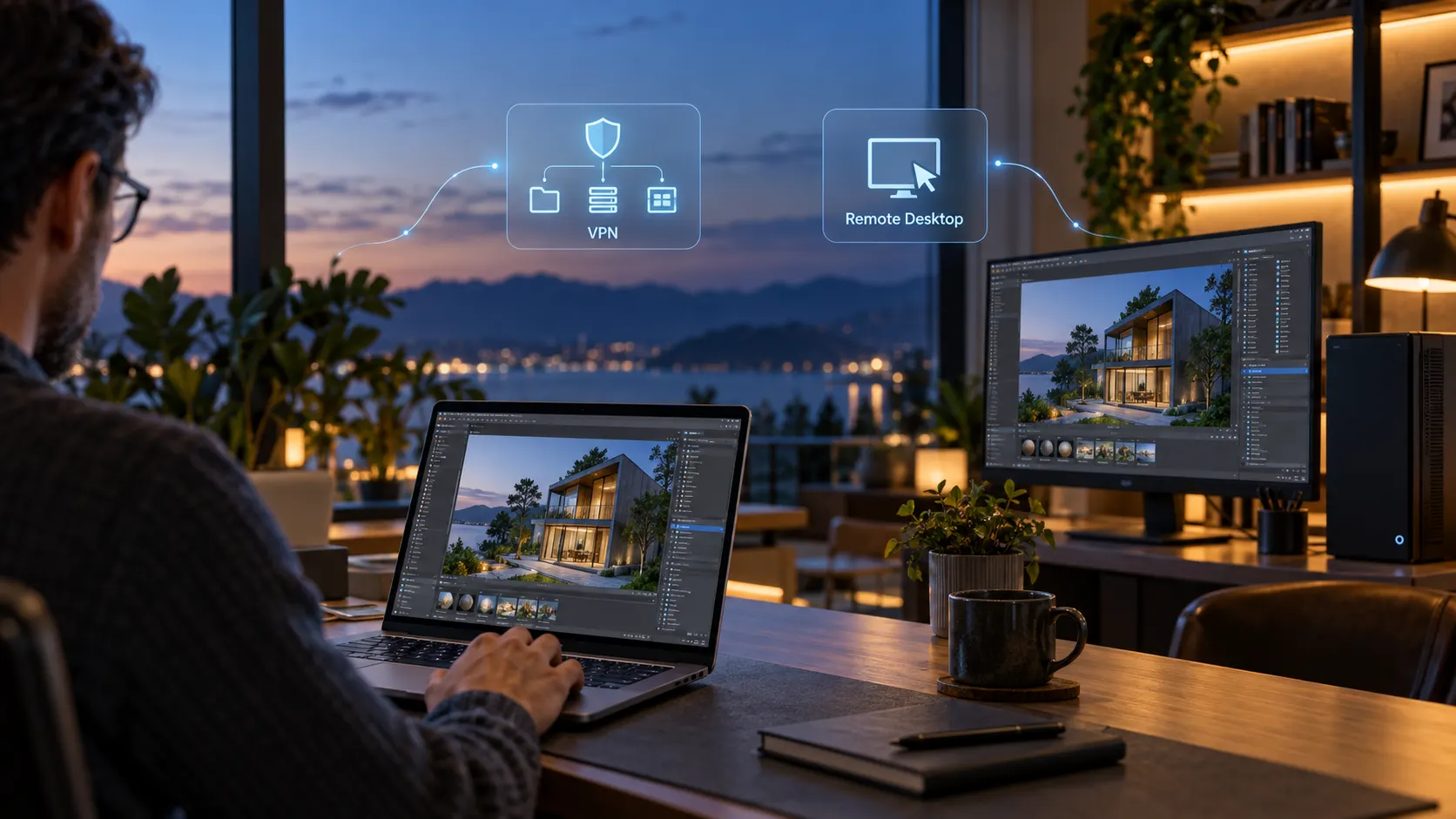
The VPN vs remote desktop choice comes down to what you need to reach. A corporate VPN gives your device a protected route to permitted resources on a private network. Remote desktop lets you operate another computer, using the apps and files already there.
They can also work together. If an app runs on your laptop but needs access to an internal server, you may need a company VPN. If the app and project are already on your office PC, remote desktop lets you work on that PC from another device. Some companies require a VPN connection before allowing remote desktop access. In this article, we compare VPN and remote desktop by everyday use, performance, security, setup, scalability, and cost to help you decide which approach fits your work.
What Is a VPN, and What Is Remote Desktop?
A VPN (virtual private network) encrypts traffic between your device and a VPN server. Here, we mean a VPN set up for your home or company network. A privacy VPN subscription alone will not give you access to your office files. Connecting to a VPN does not automatically give you control of an office PC. You still need a remote desktop tool to operate its desktop.
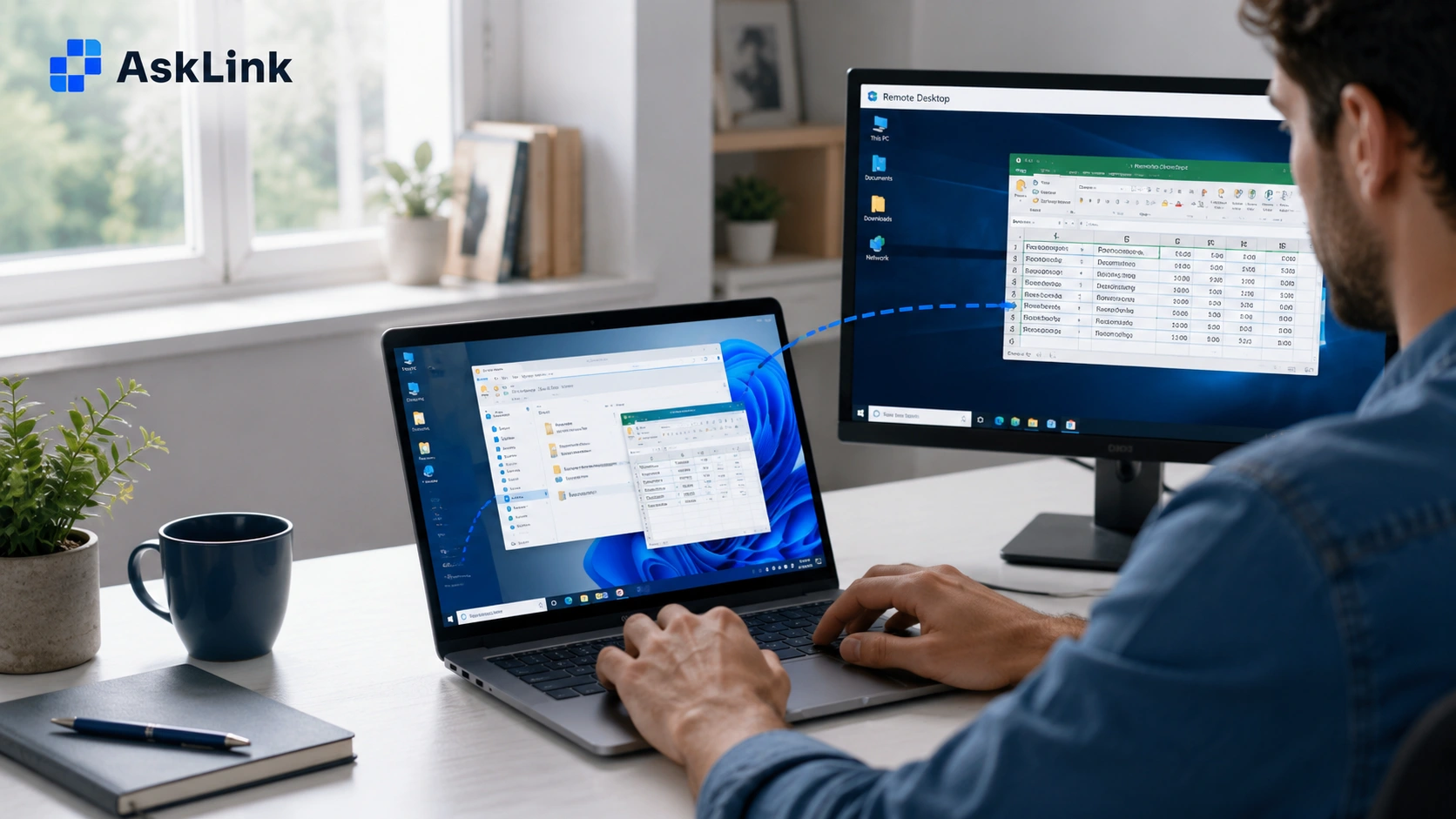
Remote desktop shows the other computer's screen on your device and sends your clicks and keystrokes back to it. Microsoft's RDP (Remote Desktop Protocol) is one way to do this. Other remote desktop apps may use different connection methods.
Start Here: A Network, a Computer, or Both?
Choose the task that sounds like your work:
| What you need to do | What to choose |
|---|---|
| Access shared office files or internal websites from apps on your laptop | Your company VPN or another access tool approved by IT |
| Use Windows apps installed on your office PC from a Mac or phone | Remote desktop software, such as AskLink, with your organization's approval |
| Connect to a company PC through RDP | The VPN or Remote Desktop Gateway your IT team provides |
| Help someone fix a computer problem | Remote support with a temporary password and access you can turn off |
| Use services such as Google Docs in your browser | Usually neither, unless your company requires it |
VPN vs Remote Desktop at a Glance
The table below compares running apps locally over a VPN with running them on a remote computer. A remote desktop session can also run through a VPN. Setup and features vary between built-in RDP and third-party remote desktop apps.
| What matters | VPN | Remote desktop |
|---|---|---|
| Performance and speed | When apps run locally and access office data over a VPN, large file transfers and repeated server requests can slow the work. | When apps run on the remote PC near their data, you may avoid transferring large working files to your device. Screen updates and input still depend on connection quality and host performance. |
| User experience | Work directly in local apps with your own desktop and peripherals. | Use the remote computer's desktop and installed apps. Display, input, and peripheral support vary by client. |
| Security | Provides permitted network access. Needs strong authentication, endpoint protection, and restricted access policies. | Provides desktop access. Needs strong authentication, host protection, and controls on files, clipboard, and other shared resources. |
| Ease of use | IT typically prepares the gateway or service, client configuration, routing, and permissions. | Managed apps usually avoid router changes. Built-in RDP needs a supported host and a working access path. |
| Scalability | Plan for gateway capacity, bandwidth, and user access policies. | Plan for host capacity, concurrent sessions, and licensing. One workstation is not automatically a multiuser desktop service. |
| Cost | May include gateway hardware, service subscriptions, setup, and ongoing administration. | Eligible Windows editions include RDP; managed apps offer free or paid plans. Include host hardware, applicable licenses, and administration. |
Speed Check: File Loading and Input Delay Are Different
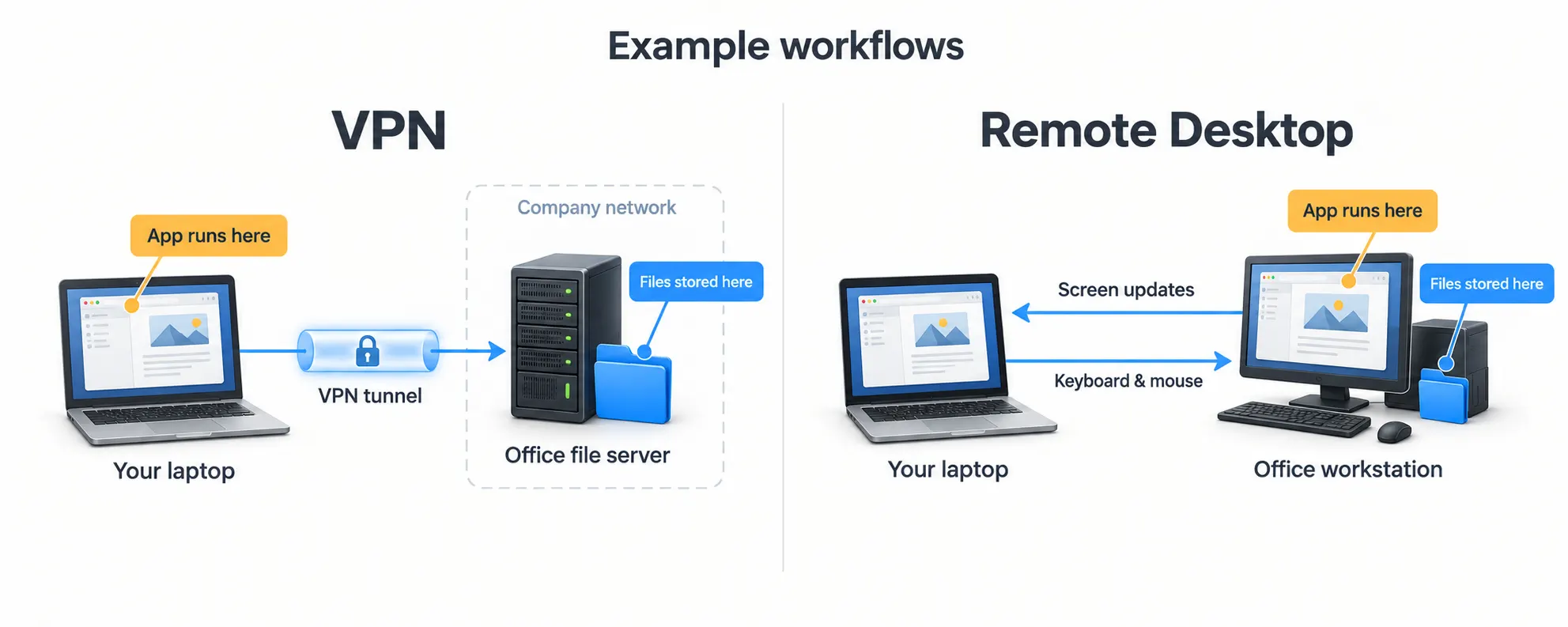
Suppose a CAD project is stored on an office file server.
- With a VPN: Run the CAD app on your laptop and open the project from the office server. Files and app requests travel between your laptop and the office network.
- With remote desktop: Run the CAD app on your office PC and open the project there. Your device receives the remote display and sends back your input, rather than downloading the project just to edit it.
If the office PC has a fast connection to the file server, remote desktop may reduce the wait for project data. It can still feel slow when you drag, zoom, or type if the remote connection has high latency. Where both setups are available and licensed, test the same project:
- Time how long it takes to open and save.
- Try typing, scrolling, and zooming. For video work, test playback too.
- Check whether you can reconnect after a brief network interruption.
Record the device, app version, network, and display settings for each setup.
Which Is Safer? Check Access, Permissions, and Data Sharing
Neither is automatically safer. A VPN's risk depends partly on which network resources it makes reachable; remote desktop risk depends on the computer, account, and session permissions it exposes. When you compare remote desktop vs VPN security, start with three questions:
- Who can connect? Restrict access to approved users and devices, and enable multi-factor authentication where supported.
- What can they access or copy? For a VPN, review the internal systems users can reach. For remote desktop, review account permissions, file transfer, clipboard sharing, and local drive access.
- How is access removed? Know how to disable an account, revoke a device's authorization, and end an active session.
Remote desktop lets you work on a file without downloading it to your device first. That does not guarantee the data stays only on the remote PC: file transfer, clipboard sharing, drive redirection, and screen capture can still create local copies. With a VPN, local apps may download or cache company data, depending on how they work. Check your organization's rules before copying files to a personal device.
When opening an .rdp file in Windows Remote Desktop Connection, check the remote computer address and requested access to your local resources. Microsoft's April 2026 security update turns these sharing options off by default, although organization policies can affect the behavior.
Do You Still Need a VPN for Remote Desktop?
Not always. There are three common routes:
- RDP over VPN: Connect to the approved home or company VPN, then start RDP to the permitted computer. The VPN provides network reachability; RDP provides the desktop session.
- Remote Desktop Gateway: An administrator provides a gateway for authorized RDP connections. Users can reach configured desktops without a separate VPN connection, depending on the deployment.
- Third-party remote desktop software: These apps arrange access through their own clients and connection infrastructure, usually without RDP port forwarding. Check the product's supported platforms and authorization options.
For RDP, avoid opening port 3389 directly to the internet. Microsoft recommends using a VPN instead of exposing the PC this way. Use the method your IT team provides. Ask before adding another remote access tool to a work computer.
Just Need Your Computer? Here's Where AskLink Fits
AskLink is a practical fit when your work depends on a particular computer, but you need to reach it from another device. AskLink lets you control your office PC from another device and use the apps and files already on it, without setting up a VPN or configuring RDP port forwarding.
- Keep your Windows workflow on a Mac or phone. Open the app on your office PC and continue the project from a MacBook, tablet, or phone. AskLink also supports macOS and Linux computers as hosts. For regular access, authorize your viewing device so you can reconnect to the office PC from your device list.
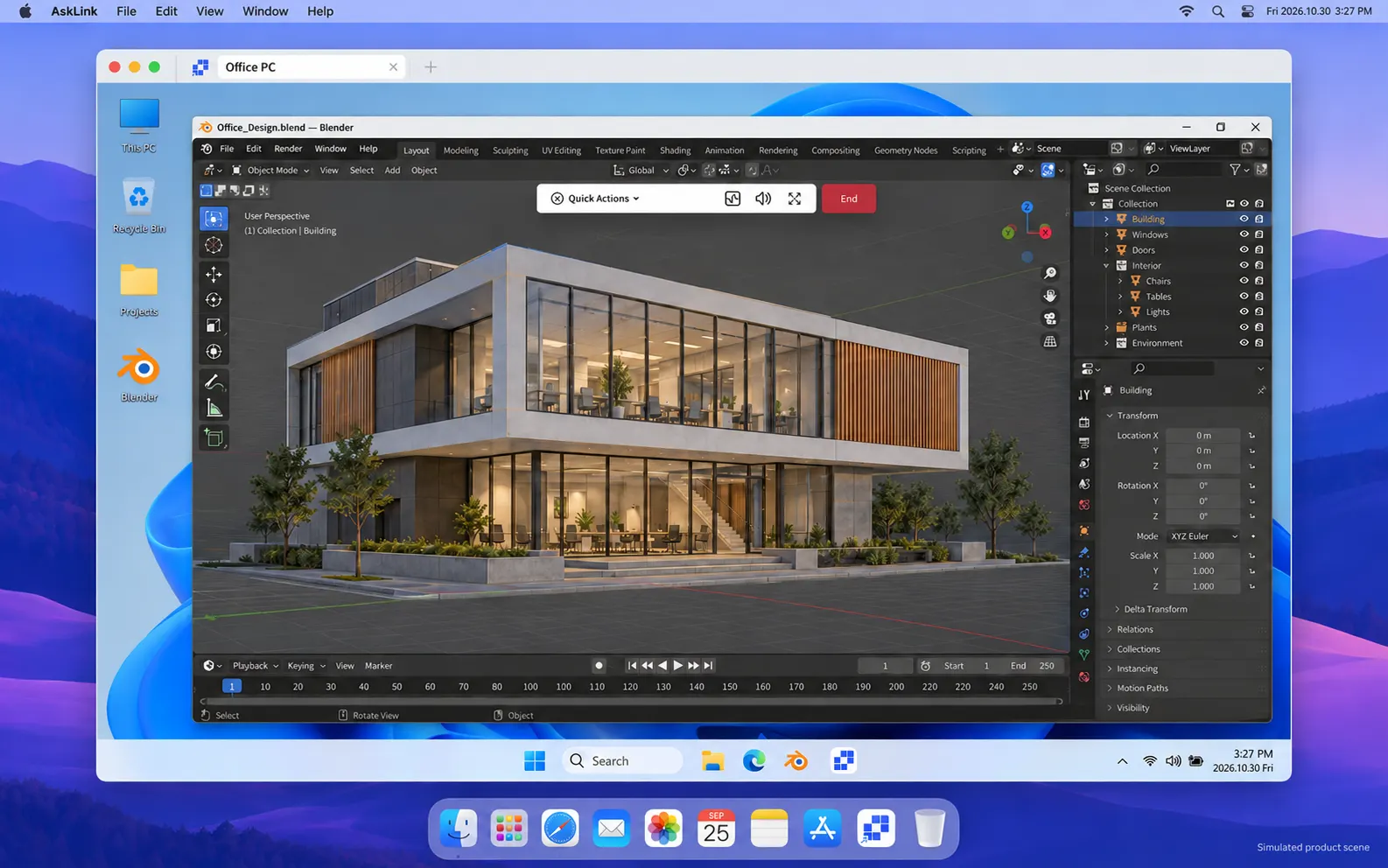
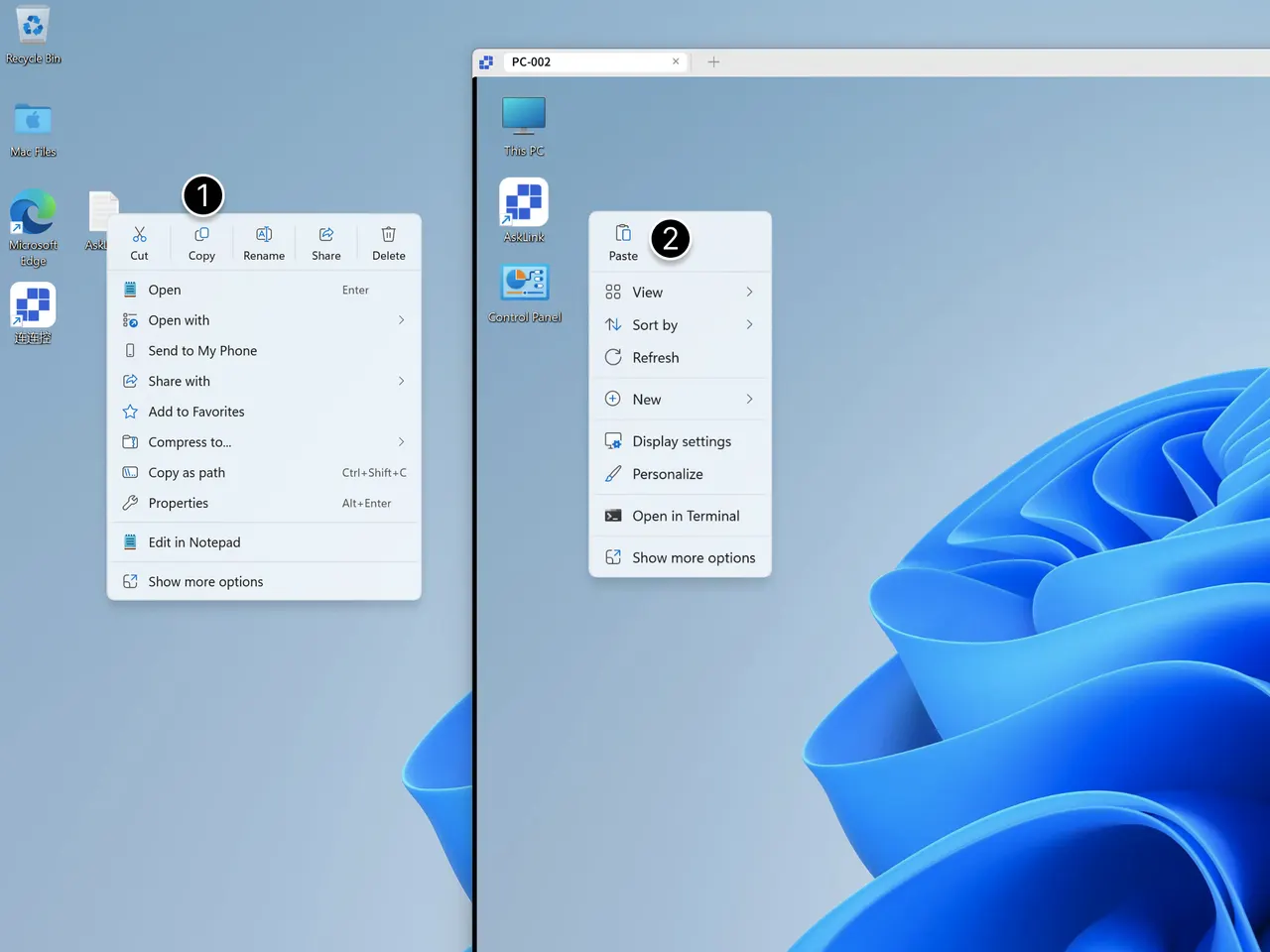
- Transfer the finished file when needed. Keep working files on the office PC, and use file transfer to copy a finished report or project to your laptop when your organization allows it. Clipboard sync can also move text between supported devices.
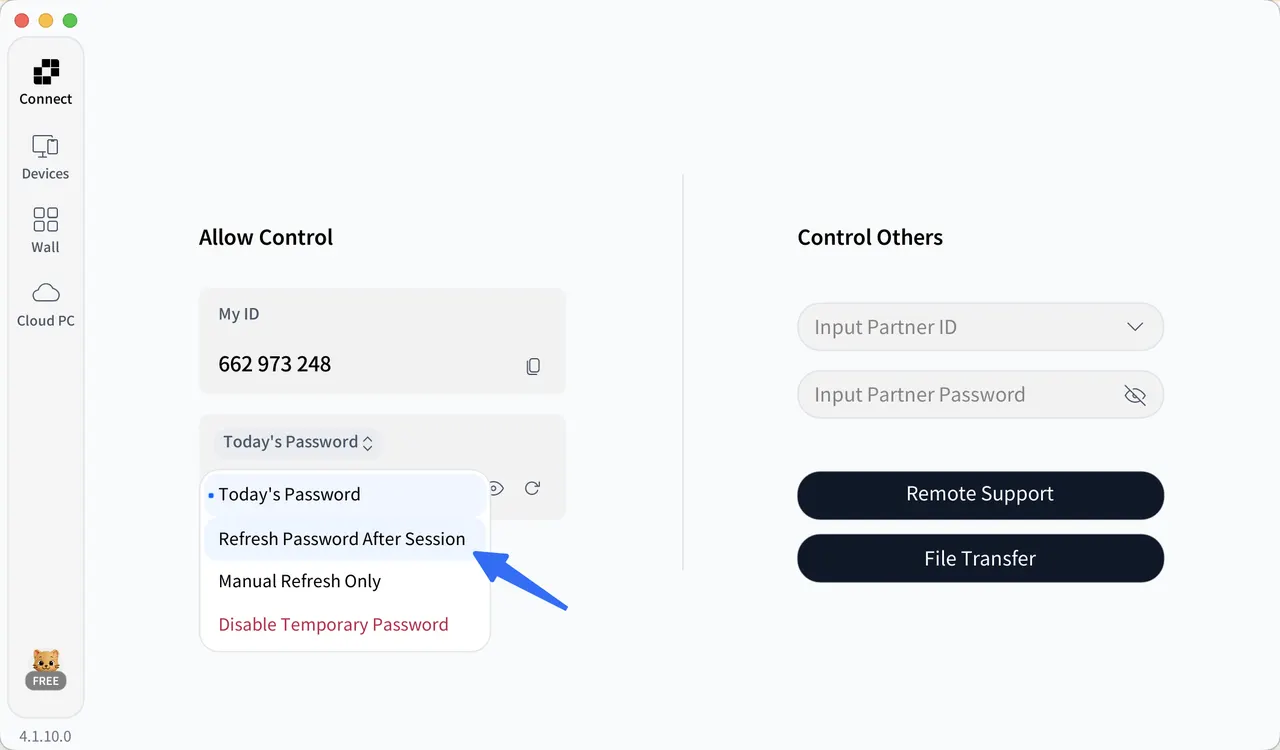
- Help a colleague remotely. Connect using their AskLink ID and temporary password. For one-time assistance, enable Refresh Password After Session. When ongoing access is no longer needed, remove unused viewing devices under My > Permission Management and change any persistent password that was shared.
AskLink's free plan lets you test remote access with your own apps. Sessions have no time limit, and the plan includes 50 hours of high-speed access each month. After those hours are used, you can continue using the basic connection. Set up the host before leaving and keep it powered on, online, and awake. Follow your organization's access rules and application licenses. Our remote desktop setup guide covers the connection process. For team deployment, review AskLink Business for device management and access controls.
For local apps that need direct access to company network services, use your IT team's VPN or approved access service.
Conclusion: Choose the Connection Your Work Needs
Choose a VPN when apps on your device need access to internal network resources. Choose remote desktop when the apps and files you need are on another computer. Use both when your organization requires a VPN before RDP.
If your task is to use an existing office PC from a Mac or phone, try AskLink with your organization's approval.