'%3e%3cpath%20d='M7.48145%2024H3.74023C1.67456%2023.9999%204.09854e-05%2022.3467%200%2020.3076V16.6152H7.48145V24ZM15.8955%2024H8.41406V16.6152H15.8955V24ZM7.48145%2015.6924H0V8.30762H7.48145V15.6924ZM24%2015.6924H16.5195V8.30762H24V15.6924ZM15.5859%207.38477H8.10547V0H15.5859V7.38477ZM20.2598%200C22.3256%200%2024%201.65318%2024%203.69238V7.38477H16.5195V0H20.2598Z'%20fill='white'/%3e%3cpath%20d='M108.786%2019.0507L105.767%2014.2636H104.397L108.397%208.80874H111.915L108.119%2013.9483V12.3155L112.544%2019.0507H108.786ZM101.527%2019.0507V5.5061H104.897V19.0507H101.527Z'%20fill='white'/%3e%3cpath%20d='M88.8242%2019.0505V8.80858H91.4908V13.2059H91.3421C91.3421%2012.1422%2091.4779%2011.264%2091.7499%2010.5712C92.0214%209.86618%2092.4224%209.34052%2092.953%208.99418C93.4965%208.64778%2094.1506%208.47461%2094.9158%208.47461H95.0644C96.2245%208.47461%2097.1193%208.86427%2097.7488%209.64353C98.3911%2010.4104%2098.7117%2011.5917%2098.7117%2013.1874V19.0505H95.342V13.0946C95.342%2012.6246%2095.2001%2012.2411%2094.9158%2011.9443C94.6443%2011.635%2094.2679%2011.4804%2093.7864%2011.4804C93.3049%2011.4804%2092.9162%2011.635%2092.6202%2011.9443C92.3358%2012.2411%2092.194%2012.6369%2092.194%2013.1317V19.0505H88.8242Z'%20fill='white'/%3e%3cpath%20d='M82.4214%2019.0506V8.80875H85.7912V19.0506H82.4214ZM81.125%2011.2579V8.80875H85.7912V11.2579H81.125ZM83.81%207.99232C83.1928%207.99232%2082.7359%207.83773%2082.4398%207.5285C82.1561%207.2069%2082.0137%206.79872%2082.0137%206.30388C82.0137%205.80913%2082.1561%205.40713%2082.4398%205.09789C82.7359%204.77628%2083.1866%204.61548%2083.7916%204.61548C84.4088%204.61548%2084.8595%204.77628%2085.1433%205.09789C85.427%205.40713%2085.5688%205.80913%2085.5688%206.30388C85.5688%206.79872%2085.427%207.2069%2085.1433%207.5285C84.8595%207.83773%2084.4149%207.99232%2083.81%207.99232Z'%20fill='white'/%3e%3cpath%20d='M71.1328%2019.0507V5.5061H74.5769V19.0507H71.1328ZM74.2065%2019.0507V16.0449H79.6876V19.0507H74.2065Z'%20fill='white'/%3e%3cpath%20d='M65.4458%2019.0507L62.428%2014.2636H61.0576L65.0571%208.80874H68.5755L64.7795%2013.9483V12.3155L69.2049%2019.0507H65.4458ZM58.1875%2019.0507V5.5061H61.5578V19.0507H58.1875Z'%20fill='white'/%3e%3cpath%20d='M51.2917%2019.3845C49.8103%2019.3845%2048.6438%2019.0814%2047.7921%2018.4753C46.9403%2017.8568%2046.4836%2016.991%2046.4219%2015.8777H49.3844C49.4339%2016.1869%2049.6252%2016.4529%2049.9585%2016.6755C50.2918%2016.8982%2050.7608%2017.0095%2051.3657%2017.0095C51.7978%2017.0095%2052.1681%2016.9477%2052.4767%2016.824C52.7977%2016.6879%2052.9581%2016.4715%2052.9581%2016.1745C52.9581%2015.9148%2052.8347%2015.7045%2052.5878%2015.5437C52.3409%2015.3705%2051.8903%2015.2531%2051.2361%2015.1912L50.5325%2015.117C49.224%2014.9809%2048.2611%2014.6222%2047.6439%2014.0408C47.0267%2013.4595%2046.7181%2012.7297%2046.7181%2011.8515C46.7181%2011.0969%2046.9033%2010.4784%2047.2736%209.99603C47.6439%209.50126%2048.1562%209.13018%2048.8105%208.8828C49.4647%208.63541%2050.2115%208.51172%2051.0509%208.51172C52.4211%208.51172%2053.526%208.81473%2054.3653%209.42089C55.2048%2010.0146%2055.6492%2010.8743%2055.6986%2011.9999H52.7359C52.6866%2011.6907%2052.5199%2011.4309%2052.236%2011.2206C51.9521%2010.998%2051.5447%2010.8867%2051.0139%2010.8867C50.6312%2010.8867%2050.3164%2010.9547%2050.0696%2011.0907C49.835%2011.2268%2049.7178%2011.4185%2049.7178%2011.6659C49.7178%2011.9257%2049.8289%2012.1174%2050.0511%2012.2411C50.2856%2012.3648%2050.6559%2012.4576%2051.162%2012.5194L51.8657%2012.5936C53.1741%2012.7297%2054.1802%2013.0946%2054.8838%2013.6883C55.5998%2014.2697%2055.9578%2015.0366%2055.9578%2015.989C55.9578%2016.6941%2055.7664%2017.3002%2055.3838%2017.8073C55.0134%2018.3145%2054.4764%2018.7041%2053.7728%2018.9763C53.0816%2019.2484%2052.2545%2019.3845%2051.2917%2019.3845Z'%20fill='white'/%3e%3cpath%20d='M31.0117%2019.0507L35.3445%205.5061H40.8624L45.3434%2019.0507H41.7882L38.3072%207.91816L39.2885%208.28924H36.8444L37.8442%207.91816L34.4558%2019.0507H31.0117ZM34.5483%2015.915L35.5853%2013.0948H40.7143L41.7512%2015.915H34.5483Z'%20fill='white'/%3e%3c/g%3e%3cdefs%3e%3cclipPath%20id='clip0_5596_142775'%3e%3crect%20width='113'%20height='24'%20fill='white'/%3e%3c/clipPath%3e%3c/defs%3e%3c/svg%3e "AskLink")

 Daniel Brooks
If you have seen AION 2 running on a phone, you may be wondering why you cannot find a mobile version of AION 2 Global.
The reason is that AION 2 Global is currently PC-only, while the versions already released in Korea and Taiwan support both PC and mobile. So the AION 2 mobile gameplay, downloads, and guides you see online may be for those regional versions rather than the upcoming Global release.
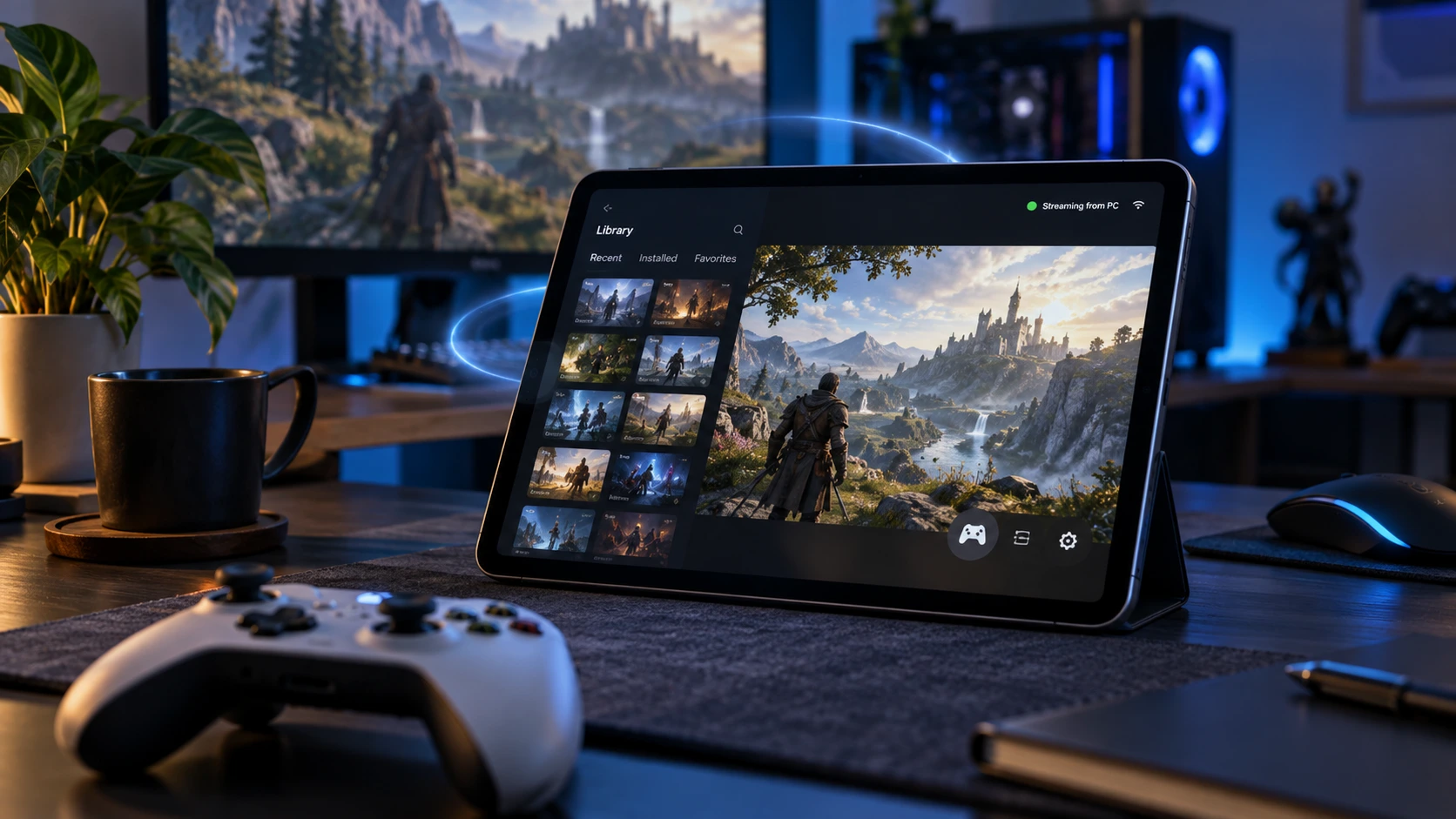
If you want to play AION 2 Global on an iPhone, iPad, or Android device, there is another option. You can run the game on a Windows PC and remotely access that PC from your phone or tablet.
In this guide, we will explain the difference between AION 2 Global and the existing mobile versions, then show you how to play the PC version remotely with AskLink.
This guide reflects AION 2 Global's pre-launch platform information. AskLink will continue to check game compatibility as the Global client and future updates become available.
Is AION 2 Global Available on Mobile?
No. AION 2 Global does not currently have an official Android or iOS version.
NCSOFT has confirmed that the Global version is being developed as a PC-only release for Steam and PURPLE. The Global service will cover regions including North America, South America, Europe, and Japan.
However, that does not mean AION 2 has no mobile version at all.
Why Can You Find AION 2 Mobile Versions Online?
AION 2 first launched in Korea and Taiwan on November 19, 2025, and those regional versions support both PC and mobile. NCSOFT has confirmed that players in Korea and Taiwan can play through either platform.
That is why you may see official mobile downloads, gameplay videos, or guides for AION 2 even though the Global release is PC-only.
| Platform | Korea & Taiwan | AION 2 Global |
|---|---|---|
| Windows PC | Yes | Yes |
| Android | Yes | No native version currently |
| iPhone/iPad | Yes | No native version currently |
| Native mobile interface | Yes | No |
| PC required for mobile access | No | Yes, if using remote play |
So if you see AION 2 running on a phone, check which regional version the guide or download refers to. The Korean and Taiwanese mobile clients are not the same as an official AION 2 Global mobile release.
Can You Play AION 2 Global on iPhone, iPad, or Android?
Yes—but not natively. Since AION 2 Global does not currently have an official mobile client, you cannot install the Global version directly on an iPhone, iPad, or Android device. Instead, you can run AION 2 on a Windows gaming PC and remotely access that PC from your phone or tablet.
The setup works like this:

Your PC still does the actual work. It runs the game, processes the graphics, and connects to the AION 2 servers. Your mobile device receives the video and audio stream and sends your controls back to the PC.
So remote play does not turn AION 2 Global into a mobile game. It simply lets you access the PC version from another device when you are away from your gaming setup.
One way to do this is with AskLink, which lets you connect to your Windows gaming PC from an iPhone, iPad, or Android device.
How to Play AION 2 Global on Mobile With AskLink
To use this setup, you need two things: a Windows PC capable of running AION 2 Global and a phone or tablet that can connect to it through AskLink. The game remains installed and running on the PC. AskLink handles the remote connection between that PC and your mobile device.
Step 1: Set Up AION 2 on Your Windows PC
Start with the PC you normally use for gaming. Install AION 2 Global through Steam or PURPLE and make sure the game runs properly on the computer itself. This matters because remote play depends on the host PC. If the PC struggles to run AION 2 locally, connecting from a phone will not fix that performance issue. Then install AskLink on the same Windows PC. This will be the computer you connect to remotely. In AskLink, it is called the Controlled device.
Step 2: Install AskLink on Your Phone or Tablet
Next, install AskLink on the device you want to play from. You can use an:
- iPhone
- iPad
- Android phone
- Android tablet Sign in to the same AskLink account and make sure your gaming PC appears in the device list.
Step 3: Connect to Your Gaming PC
Open AskLink on your phone or tablet and select your Windows gaming PC. Once connected, you will see the PC desktop on your mobile device.

Before launching the game, check that remote video, audio, and input are working normally. You can also adjust the remote display and control settings based on your screen size and network conditions.
If you plan to use touch controls or a physical controller, it is easier to set them up before entering the game.
Step 4: Open Steam or PURPLE and Launch AION 2
From the remote desktop, open Steam or PURPLE and start AION 2 just as you would on the PC itself.
AION 2 continues to run on the Windows computer. Your phone or tablet displays the remote session and sends your input back to the PC.
You can then use the control method that fits your setup, such as virtual controls on the mobile screen or a compatible physical controller.
For the best experience, test movement, camera control, skills, and other frequently used inputs before starting a longer play session. Because the Global client and its security systems may change with game updates, game-specific remote compatibility should be checked again after major AION 2 releases or patches.
Why Use AskLink for AION 2 Remote Play?

Remote gaming asks more from a remote desktop connection than everyday tasks do.
In AION 2, you need to move your character, turn the camera, use skills, and react during combat. That means controls, frame rate, and connection quality all matter. AskLink includes several features built for this kind of remote gaming setup.
Controls Built for PC Games
Mouse movement can feel very different in a 3D game than it does on a normal desktop.
AskLink includes an Optimized for 3D Games mode designed to improve mouse movement and camera rotation during remote sessions. If you are playing from a phone or tablet, you can also use AskLink's virtual gamepad and keyboard. Common actions such as movement, skills, and menu shortcuts can be mapped to on-screen controls.
Prefer a physical controller? AskLink also supports controller mapping for mainstream Xbox, PlayStation, and Nintendo Switch controllers.
The best control setup depends on the device you are using. A phone may work well for shorter sessions, while a tablet or physical controller can be more comfortable for longer play.
Smoother Video for Remote Gameplay
AION 2 is a visually demanding game, so remote play needs more than a clear static image.
AskLink supports high-frame-rate remote sessions, with the Gaming plan offering up to 4K and 165 FPS on supported hardware and network conditions. It also uses adaptive network technology to adjust the connection when network quality changes. These are maximum remote-session capabilities, not guaranteed AION 2 performance.
The actual experience still depends on your Windows PC, game settings, display, and network connection. If your PC cannot run AION 2 smoothly on its own, remote access will not fix that bottleneck.
Access Your Gaming PC When You Are Away
One of the main reasons to use remote play is simple: your gaming PC may be at home when you are not.
With AskLink, you can connect to that Windows PC from your phone or tablet and open Steam or PURPLE remotely. For compatible PCs, Wake-on-LAN can also let you wake the computer before connecting, so you do not have to leave it fully running all day. It makes remote play useful when you want access to your PC gaming setup from another room, while traveling, or whenever sitting at the gaming PC itself is not practical.
What Should You Know Before Playing AION 2 Remotely?
Remote play can make AION 2 Global more flexible, but it is still different from playing a native mobile game.
Before setting it up, keep a few practical limits in mind.
Network Quality Matters
Remote gaming depends on a stable connection at both ends. Your gaming PC needs to send video and audio while receiving your controls in real time. Latency, packet loss, weak Wi-Fi, or unstable mobile data can all affect how the game feels.
Connection problems are usually more noticeable during combat, where timing and camera movement matter more. For a more stable setup, use a wired connection for the gaming PC when possible and a strong Wi-Fi or mobile connection on your phone or tablet.
The PC Interface Is Still Designed for a PC
Remote play does not give AION 2 Global the same interface as the official Korean and Taiwanese mobile versions. You are still viewing the Windows version of the game, including menus and UI elements designed for a larger screen.
Virtual controls can make common actions easier to reach, but they do not turn the PC interface into a native mobile layout. For longer sessions, a tablet or physical controller may feel more comfortable than playing on a smaller phone screen.
Keep Remote Play Manual
Use remote access as another way to manually control your own gaming PC.
Avoid macros, automated combat, farming scripts, repeated automated actions, or other tools that play the game for you. Remote access does not change AION 2's rules. Your account and gameplay still need to follow the game's current terms and operating policies.
Game Updates Can Affect Compatibility
AION 2 is an online game, so its client, input behavior, security systems, and anti-cheat measures may change over time. Major updates can sometimes affect how third-party remote access tools interact with the game.
If controls behave differently after an update, make sure both AION 2 and AskLink are up to date, then test your movement, camera, keyboard, mouse, and controller input again before a longer session.
Native AION 2 Mobile vs. Remote Play: What's the Difference?
Remote play lets you access AION 2 Global from a phone or tablet, but it does not work the same way as the native mobile version available in Korea and Taiwan.
The biggest difference is where the game runs and how it is controlled.
| Native AION 2 Mobile | AION 2 Global With Remote Play | |
|---|---|---|
| Game runs on | Phone or tablet | Windows gaming PC |
| Interface | Designed for mobile screens | PC interface streamed remotely |
| Controls | Native touch controls | Virtual controls or physical controller |
| PC required | No | Yes |
| Performance depends mainly on | Mobile device | Gaming PC + network connection |
| Best for | Native mobile play | Accessing your PC game away from the computer |
With the native mobile version, the game is installed and runs directly on the phone or tablet. The interface and controls are built around a mobile screen.
With remote play, AION 2 Global still runs on your Windows PC. Your mobile device gives you access to that PC from somewhere else.
So remote play is not a replacement for a native AION 2 Global mobile app. It is an alternative for players who want to reach the PC version from an iPhone, iPad, or Android device. And AskLink is your best choice of remote gaming. Just give it a try!